


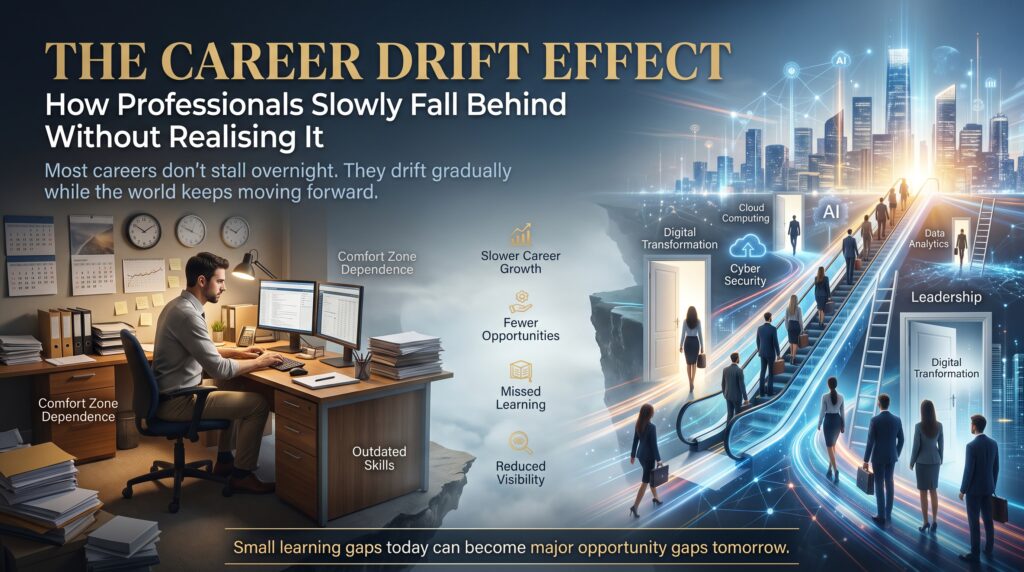

The knowledge decay problem is the quiet reason many capable IT professionals feel less sure of themselves every year. Nothing dramatic happens. No single day goes wrong. Instead, the tools you learned move on, the terms in job ads shift, and the things you used to know by heart start to feel a little fuzzy. One day you notice the gap, and it’s wider than you expected.
Careers last decades, but technical skills often have a shelf life measured in years. That mismatch is the heart of the knowledge decay problem, and it affects network engineers, support analysts, developers, data people and business analysts alike. The good news is that it’s predictable, which means it’s manageable.
This guide explains what the knowledge decay problem really is, how to spot it in your own career, what it costs when it’s ignored, and a practical five-step plan to stay current without burning every weekend. We’ll also point you to the IT courses that map to the skills most likely to age.
What Is the Knowledge Decay Problem?
The knowledge decay problem describes what happens when the skills you hold lose value, or fade from memory, faster than your career moves forward. It has two sources, and most people only think about one of them.
- Shelf-life decay. The technology itself changes. A platform gets renamed, a best practice is replaced, a tool falls out of favour. Your knowledge was correct once, and now it’s out of date.
- Memory decay. You simply stop using what you learned. Psychologist Hermann Ebbinghaus described this pattern in the 1880s, and the forgetting curve shows how quickly unused information slips away without review.
Put the two together and you get a nasty combination: things you’ve half forgotten, about tools that have half changed. That is why experienced people sometimes feel like beginners again after a few quiet years in a single role.
Why Skills Now Age Faster Than Careers
A career in IT might run thirty or forty years. A major technology cycle rarely lasts more than a handful. Consider how much has shifted in a short time: server cupboards gave way to cloud platforms, perimeter-based security gave way to zero trust thinking, and Azure Active Directory became Microsoft Entra ID. Now artificial intelligence tools are reshaping everyday tasks from reporting to coding.
Employers feel it too. The World Economic Forum’s Future of Jobs Report points to a large share of core job skills changing over the coming years, and Jobs and Skills Australia tracks how demand for skills shifts across the local labour market. The message is consistent: standing still is a risk, even in a job you do well.
None of this means your experience is worthless. Far from it. It means the knowledge decay problem rewards people who refresh deliberately, rather than hoping on-the-job exposure will do it for them.
Five Signs the Knowledge Decay Problem Has Reached Your Career


You don’t need a formal assessment. These five signs are usually enough.
1. Your Newest Tool Is Four Years Old
Open your resume and look at the most recent technology you list. If it’s been years since anything new was added, the knowledge decay problem is already shaping how recruiters see you, whatever your real ability.
2. You Search for Basics You Used to Know
Looking things up is normal. But if you’re regularly searching for fundamentals you once explained to others, that’s memory decay talking.
3. Job Ads Contain Terms You Only Half Recognise
Read five job ads for your target role. Count the terms you could confidently explain. If the number is lower than it was a few years ago, you’ve found your gap.
4. You’re the Expert on a System Being Retired
Being the go-to person for a legacy platform feels safe until the platform is switched off. Deep knowledge of something with an end date is one of the most common forms of the knowledge decay problem.
5. You Avoid New Projects Because You’d Have to Learn
This is the most telling sign. When new work starts to feel like a threat instead of an opportunity, the cost of the knowledge decay problem has moved from your skills to your confidence.
The Real Cost: Pay, Promotion and Security
Pay and Promotion
Employers pay for current, applicable skills. When yours drift, the effects are rarely loud. A promotion goes to someone with fresher exposure. A project you’d normally lead is handed to a colleague who recently completed training. Over a few years, the difference compounds.
Security and Quality of Work
Outdated knowledge isn’t only a career issue. In security, networking and cloud work, old habits can mean weak configurations and missed risks. The Australian Cyber Security Centre’s guidance and advisories are updated regularly for a reason: the threat picture changes, and so must the people responding to it.
Confidence
Perhaps the biggest cost is internal. People caught in the knowledge decay problem often start turning down interviews, speaking less in meetings and staying in roles longer than they want to. Capability hasn’t vanished, but the belief in it has.
Not every skill decays at the same speed. This comparison helps you decide where to focus first:
| Skill type | Decay speed | How to refresh it |
| Core concepts (networking logic, SQL, security principles) | Slow | Light review a few times a year, plus regular practice |
| Vendor platforms (cloud, identity, security suites) | Medium | Follow release notes, retake foundations when platforms change |
| Tools and frameworks (web, scripting, automation) | Fast | Build small projects, update regularly, learn in short cycles |
| Analytical and communication skills | Slow | Practise on real work, seek feedback, document decisions |
A Simple Example: Two IT Professionals, Same Starting Point
Picture two support analysts who start in the same year with the same skills. This is a generic illustration, not a statistic, but it mirrors a pattern many managers will recognise.
The first stays comfortable. She does her job well, keeps her tickets under control and learns only what the role demands. Five years later, her knowledge of the systems she supports is excellent, but her wider toolkit looks much like it did on day one. When a cloud migration project is announced, she isn’t the obvious pick.
The second sets aside two hours a week. He completes a short foundational course, builds a small lab at home and picks up one new tool each year. His day-to-day work is no better than hers, yet he can talk about cloud, security and automation with confidence. Guess who gets pulled into the migration project. The difference isn’t talent, it’s whether the knowledge decay problem was managed or ignored.
How to Beat the Knowledge Decay Problem: A Five-Step Plan
You don’t need a career reset. You need a routine. Here’s a plan you can start this week.
- Audit your skills honestly. List what you can do today, then circle anything you haven’t used in over a year.
- Separate durable from perishable. Core concepts such as networking logic, SQL and security principles last. Specific tools and platform versions don’t. Invest in concepts first, then refresh the tools that sit on top.
- Schedule small, recurring learning. Two focused hours a week beats a panicked month once a year. Spaced review is the antidote to the forgetting curve.
- Apply it immediately. Build a small project, automate a task at work or document a lab. Knowledge you use is knowledge you keep.
- Use structured training to close big gaps. When a skill has drifted too far for self-study to fix quickly, an instructor-led course with hands-on labs gets you current faster.
Step five is where many professionals hesitate, usually because of time. Short courses, evening classes and live online options exist precisely for people who are working full time.
Which IT Course Refreshes Which Skill?
At IT Courses, training is grouped into foundational, intermediate and professional levels, so you can match the course to how far your skills have drifted. Here is how some of the available IT courses line up with common decay areas.
| Skill area at risk | Course on itcourses.au | Best for |
| Cloud foundations | AWS Technical Essentials | Anyone refreshing cloud concepts, pricing and security basics |
| Data and databases | SQL Database Training | Analysts, developers and support staff who query data |
| Web and front-end | Web Development Course | Developers refreshing modern, responsive build skills |
| Security | Cyber Security Course | IT staff updating threat and defence knowledge |
| Networking | CCNA Certification Training Course | Network and infrastructure professionals |
| Artificial intelligence | Artificial Intelligence (AI) Essentials | Professionals adding AI and machine learning literacy |
| Business analysis | Business Analyst Certification | Analysts and project staff moving into professional roles |
If your gap is specific to one platform, our sister training sites go deeper. Cloud beginners can start with AZ-900 Azure Fundamentals, security learners can explore cyber security certifications, and analysts can look at data analytics courses. You can also browse the wider Logitrain course catalogue.
IT Courses in Sydney, Melbourne, Brisbane, Perth, Adelaide and Canberra
The knowledge decay problem isn’t tied to a postcode. A Sydney developer, a Melbourne network engineer, a Brisbane support analyst, a Perth systems administrator, an Adelaide data officer and a Canberra public-sector analyst all face the same cycle of change. What differs is how you’d prefer to learn, so training is offered through live virtual classes, classroom options and in-house programs for teams.
| City | Who often benefits | Delivery | Location page |
| Sydney | Developers and analysts in fast-moving tech and finance teams | Classroom (Surry Hills) or live virtual | IT Courses Sydney |
| Melbourne | Infrastructure and support teams upskilling for cloud | Classroom (West Melbourne) or live virtual | IT Courses Melbourne |
| Brisbane | Support analysts and business analysts | Classroom (Brisbane City) or live virtual | IT Courses Brisbane |
| Perth | Systems administrators and engineering IT teams | Live online or in-house | IT Courses Perth |
| Adelaide | Data officers and education sector IT staff | Live online or in-house | IT Courses Adelaide |
| Canberra | Public-sector analysts and security teams | Live online or in-house | IT Courses Canberra |
Not sure where to start? Visit the IT Courses locations page, read the IT courses FAQs or contact the team for guidance on the right starting point.
Frequently Asked Questions About the Knowledge Decay Problem
What is the knowledge decay problem?
It’s the gap that opens when your skills lose relevance, or fade from memory, faster than your career progresses. It combines outdated technology knowledge with the natural forgetting of unused skills.
How fast do IT skills become outdated?
It depends on the skill. Core concepts such as networking fundamentals and SQL tend to last, while specific tools, frameworks and platform features can change within a few years. That’s why refreshing the perishable layer regularly matters.
Can I fix the knowledge decay problem without a full-time course?
Yes. Regular small study sessions, hands-on projects and short courses can all help. Many learners combine self-study with a part-time or evening class to close larger gaps.
Are IT courses suitable if I already work in IT?
Absolutely. Foundational, intermediate and professional levels mean working professionals can pick a course that matches where their skills are today, not where they were when they started.
Can I study online from anywhere in Australia?
Yes. Live virtual and online options are available nationwide, along with classroom and in-house delivery in major cities.
Where should I start if I’m not sure what to refresh?
Start with the audit in step one of the plan above, then match your biggest gap to a course level. If you’d like a second opinion, the team can help you choose.
Keep Your Skills Current Before the Gap Gets Expensive
The knowledge decay problem doesn’t punish people for being behind. It punishes them for not noticing. Once you can see the pattern, the fix is surprisingly ordinary: know what decays, review it on a schedule, use what you learn, and bring in structured training when the gap is too big to close alone.
If you’re ready to refresh your skills, explore the full range of IT courses in Australia, pick your city from the locations page, or get in touch and talk through the best next step for your career.