


The IT skills gap is a bigger threat to your career than any chatbot. Every few months a headline announces that AI is about to replace developers, testers, analysts and support teams. It makes for good clicks and poor career advice.
Here’s the more useful version. AI is already changing what IT professionals spend their day doing. It drafts code, summarises logs, answers repeat tickets and builds first-pass reports. The people struggling aren’t the ones using these tools. They’re the ones whose skills stopped at the tasks the tools now handle.
This guide explains what the evidence says, which tasks AI is taking on, where the IT skills gap is opening up by role, and what to learn next. It’s written for IT professionals, career changers and team leads in Sydney, Melbourne, Brisbane, Perth, Adelaide and Canberra.
The Short Answer
AI is unlikely to replace IT professionals wholesale, but it is taking over routine tasks in almost every IT role. The people most at risk are those whose skills sit entirely in routine work and who stop learning. Closing the IT skills gap with AI literacy, cloud, security, data and communication skills is the most reliable way to protect and grow your career.
What the Evidence Says About AI and IT Jobs
Start with Australian research. Jobs and Skills Australia studied generative AI across the whole labour market in 2025 and concluded it is more likely to augment jobs than replace them, with the higher potential for automation concentrated in routine work.
The global picture points the same way, with a warning attached. The World Economic Forum’s Future of Jobs Report 2025 found that 63% of employers see skill gaps as the biggest barrier to business transformation, and that nearly 40% of the skills needed on the job are set to change by 2030. Most employers plan to upskill staff and hire people with new skills. Around 40% also expect to reduce staff where skills become less relevant.
Put simply, AI changes the task list. The IT skills gap decides who gets the new tasks.
What AI Is Already Doing in IT Work
Be honest about this part. Some of your current tasks are already being done, or heavily assisted, by tools such as GitHub Copilot and Microsoft Copilot.
| IT task | What AI tools now do | What still needs a human |
| Writing boilerplate code | Drafts functions and syntax | Design decisions, review and debugging |
| Creating test cases | Generates cases and scripts | Test strategy and judging quality risk |
| Log and alert analysis | Summarises patterns and flags anomalies | Root-cause reasoning and business impact |
| First-line support | Answers repeat questions and routes tickets | Complex faults, empathy and escalation |
| Scripts and configuration | Produces PowerShell, SQL or config drafts | Verifying safety before anything reaches production |
| Documentation | Drafts runbooks and summaries | Accuracy, context and ownership |
| Requirements drafting | Turns notes into first-pass user stories | Stakeholder trade-offs and priorities |
| Security alert triage | Speeds up sorting and enrichment | Response decisions and governance |
Notice the pattern. AI handles the first draft. Humans own the verification, the judgement and the accountability. Those are skills, and they need building.
Four Myths About AI and IT Careers
- “Only developers are affected.” Support, testing, analysis, documentation and project work all include tasks AI can assist. Every role has something to update.
- “Learning to code makes me safe.” Code is one of the things AI drafts best. Design, review and judgement matter more than syntax.
- “AI skills means building models.” For most IT professionals it means using AI tools well, checking their output and governing their use.
- “I can wait and see.” Waiting widens the IT skills gap while other people quietly build experience. Small, steady learning beats a panic later.
Why the IT Skills Gap Is the Real Risk
Six gaps are worth checking honestly. Each one is fixable.
1. Skills that live entirely in routine work
Closing tickets from a script, copying commands from a forum, running manual test scripts. If your value is speed at repeatable tasks, that’s the value AI reaches first.
2. No AI literacy
Using AI well means writing clear prompts, spotting confident mistakes and knowing when not to trust the output. A script that looks right but deletes the wrong resource is still your problem.
3. Outdated tools and certifications
Technology moves in cycles. Skills anchored to one tool version, or a credential earned years ago and never applied, lose weight quickly.
4. Weak security and governance awareness
AI tools raise new questions about what data is safe to paste in, and attackers use AI too. The Australian Cyber Security Centre and the NIST AI Risk Management Framework are good places to build a baseline.
5. Thin communication skills
AI can draft an email. It can’t sit in the room while a manager decides whether to spend $200,000 on a migration. People who explain risk and options in plain English are hard to automate.
6. No learning habit
With around 40% of employers expecting to reduce staff as skills become less relevant, standing still isn’t neutral. It’s a slow decline.
Three IT Professionals, One Year Later
Picture three people on the same support team when AI triage arrives. Alex keeps closing tickets exactly as before and adds nothing new. Sam uses the AI assistant every day but never checks its suggestions, and twice pastes a wrong command into a live system. Jordan uses it to clear the routine queue faster, spends the saved time learning cloud administration, and documents one improvement a month.
A year later the team needs fewer people closing simple tickets and more people who can run the platform safely. Alex’s role is shrinking. Sam’s manager has stopped trusting the shortcuts. Jordan is being asked to lead the migration. Same tools, different skills.
That difference is the IT skills gap in practice. It isn’t about intelligence or effort. It’s about what you do with the time AI gives back.
The IT Skills Gap by Role: Where to Build What’s Missing
Every role faces different pressure. The table matches that pressure to the skills that close the gap and to a place to build them.
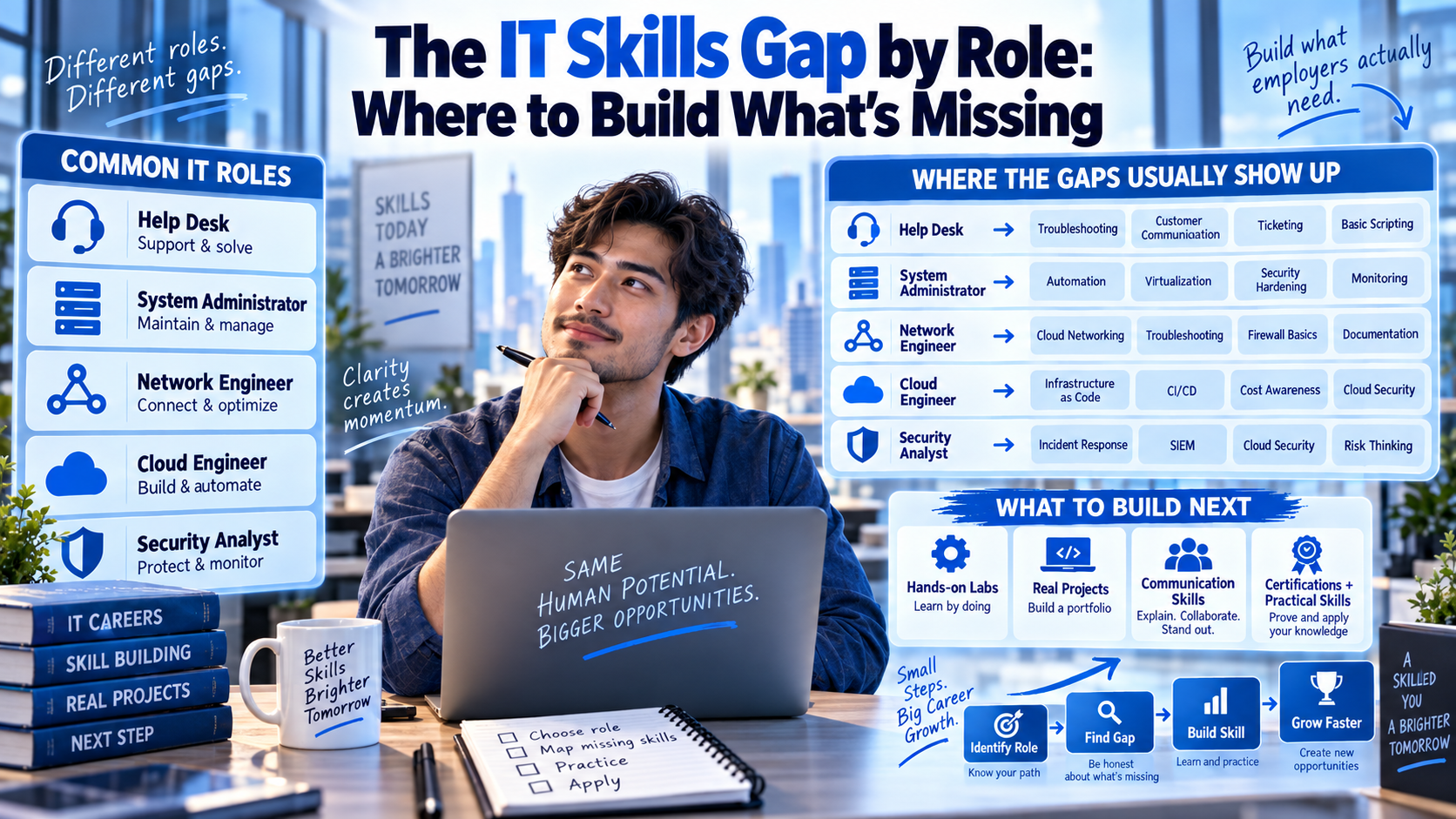
| Role | AI pressure | Skills that close the gap | Where to build them |
| IT support | Chatbots and AI triage handle repeat queries | Escalation judgement, Microsoft 365 and cloud basics | AZ-900 course |
| Network engineer | AI-assisted configuration and troubleshooting | Automation, design and security | CCNA course |
| Cloud and systems admin | AI-generated scripts and infrastructure code | Architecture, cost, governance and verification | Azure certifications |
| Software tester | AI generates test cases and scripts | Test strategy and exploratory testing | Software testing course |
| Data and BI analyst | AI writes queries and drafts dashboards | Data modelling, validation and storytelling | Data analytics courses and Power BI course |
| Business analyst | AI drafts requirements and summaries | Stakeholder work and process thinking | Business analyst course |
| Cyber security analyst | AI speeds triage, and attackers use it too | Threat analysis, response and governance | Cyber security certifications |
| Project manager | AI drafts plans and status reports | Delivery leadership, risk and people skills | Project management certifications and Scrum Master certification |
The 5 Skills That Close the IT Skills Gap
- AI literacy. Prompting, checking output and understanding limits. Practise on real work, not toy examples.
- Cloud fundamentals. Most AI tools run on cloud platforms, so cloud basics make everything else easier.
- Security and governance. Know what data is safe to share and how to review AI output for risk.
- Data skills. Query, model and validate data. AI is only as reliable as what you feed it.
- Explaining trade-offs to non-technical people is the hardest skill to automate.
What Employers Want From AI-Era IT Hires
It’s increasingly common to see AI tools listed alongside the usual cloud, security and data requirements. Hiring managers rarely want an AI specialist for every role. They want a solid IT professional who also works well with AI. Nobody expects you to close the IT skills gap overnight, but they do look for signs that you’re closing it.
- Fundamentals first. Networking, cloud, security and data basics still decide whether you can judge AI output.
- Evidence of use. A short write-up of how you used AI on a real task, including what you corrected.
- Good judgement. Knowing when to trust a suggestion, when to test it and when to escalate.
- Plain-English communication. Explaining a decision to someone who doesn’t speak IT.
- A learning record. Recent courses, certifications or projects that show you keep moving.
None of this requires a career change. It requires a visible habit.
The IT Skills Gap Checklist: Score Yourself Honestly
Tick a statement only if you could back it up in a review or an interview.
- I use an AI assistant weekly and can describe where it got something wrong.
- I check AI-generated code, scripts and configs before they go anywhere near production.
- I know my employer’s rules on putting company data into AI tools.
- I’ve completed a course or certification in the last 12 months.
- I can explain my work to a non-technical manager in plain English.
- I’ve documented at least one project that shows how I work.
- I can name the next skill I’m learning and when I’ll finish it.
- I’ve automated or improved something in my role, not just followed the process.
Six or more ticks? You’re ahead of most. Fewer than four? That’s a plan, not a verdict.
IT Skills Gap by City: Sydney, Melbourne, Brisbane, Perth, Adelaide and Canberra
Demand for upskilled IT talent looks different in each city. This is a general picture, not a promise of vacancies, so check current listings on SEEK.
| City | Where demand commonly shows up | Skills worth prioritising |
| Sydney | Banks, fintech, consultancies, cloud providers | Cloud, security and data governance |
| Melbourne | Managed service providers, health, education, software | Cloud, data and automation |
| Brisbane | State government, resources services, health, education | Cloud, analytics and service management |
| Perth | Mining, energy and resources firms | Automation, cloud and cyber security |
| Adelaide | Defence, state government, health, education | Security, data and project delivery |
| Canberra | Federal agencies and defence contractors | Security, governance and clearance eligibility |
How to Close Your Own IT Skills Gap in Four Steps
- List your last ten tasks and mark which ones an AI tool could draft.
- Pick one skill that sits above those tasks, such as design, security or data.
- Use it on real work within 30 days.
- Document the result so managers and recruiters can see it. Our guide to building an IT portfolio that gets interviews shows how.
Where Short IT Courses Fit
A short course won’t close the IT skills gap by itself, but it can start the process quickly. IT Courses offers short courses in Business Analysis, Cloud Computing, Cyber Security, Data Analysis, Databases, Digital Marketing, IT, Networking, Project Management, Programming, Software Testing and Web Development. There are weekend, evening and online options, small class sizes, and practical projects you can show to an employer.
Not sure where to start? Compare which IT certification pays the most in Australia and browse the top IT careers in Australia. Then apply what you learn at work, and talk to Logitrain about the right course for your city.
IT Skills Gap: Frequently Asked Questions
What is the IT skills gap?
It’s the difference between the skills employers need and the skills the workforce currently has. In IT, AI, cloud, security and data are growing fastest, so professionals who don’t update their skills fall behind even if they never lose their job.
Will AI replace IT professionals?
Wholesale replacement is unlikely. Australian research points to AI augmenting most jobs, with automation concentrated in routine work. Tasks within IT roles will change, and people who adapt will do the new tasks.
Which IT jobs are most at risk from AI?
Roles built mostly on routine, repeatable tasks, such as basic scripting, boilerplate coding, repetitive test scripts and first-line ticket triage, face the most pressure. Few roles disappear overnight. Tasks change first.
What AI skills should IT professionals learn?
Start with prompting and verifying AI output, then add cloud fundamentals, security and governance, and data skills. Pair them with communication, because explaining decisions is hard to automate.
Are IT certifications still worth it in the age of AI?
Yes, when you apply them. A certification shows structured knowledge, and a project shows you can use it. Together they help close the IT skills gap far better than either alone.
How can I upskill while working full time?
Choose one skill, study in short weekly blocks, and use it at work within 30 days. Evening, weekend and online classes make this easier.
Do I need a degree to keep up with AI in IT?
Not necessarily. Many employers weigh skills, certifications and demonstrated projects heavily. Some roles still prefer degrees, so check the listings you’re targeting.
Your Next Step
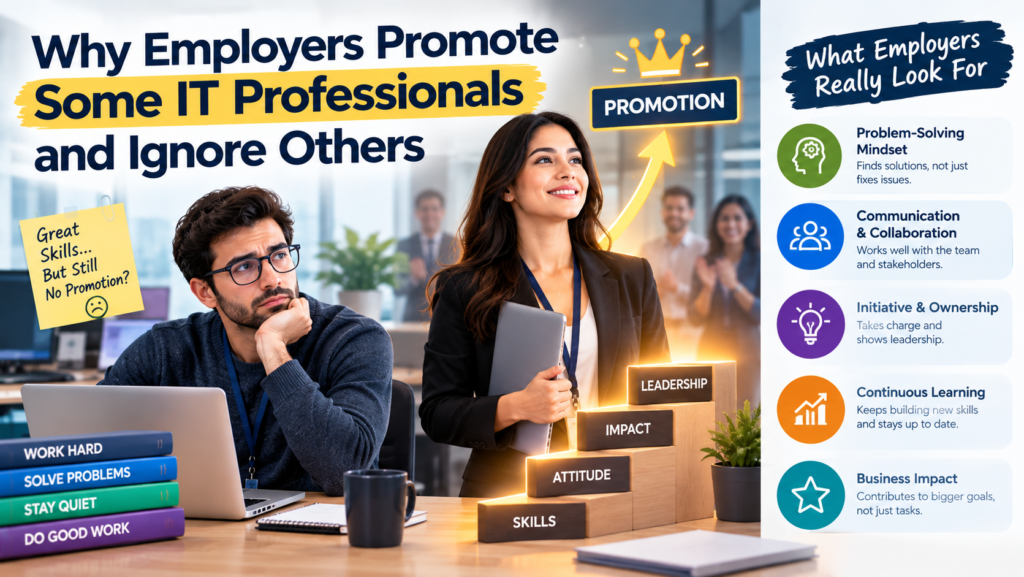
The IT skills gap is closeable, and it starts with one honest look at your own task list. Score yourself on the checklist, pick one skill, and use it at work this month. If you’re moving into the industry, read our roadmap to transition into IT without experience, and see why employers promote some IT professionals and ignore others.
Ready to build the skills? Explore our IT courses, or speak to the team at Logitrain about the best option for you.