


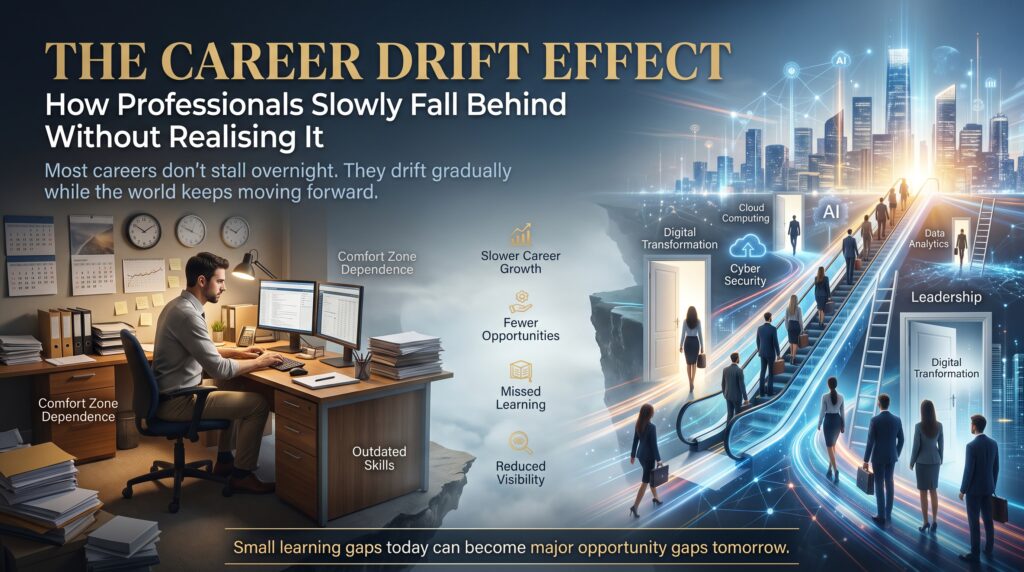
The career maintenance gap is the habit most professionals never notice: we update our phones, laptops and apps the moment a notification appears, yet we leave our skills on the same version for years. Nobody sends a reminder when your knowledge of cloud security is two releases behind. Nobody schedules a restart when your resume stops matching what employers search for.
Think about your own routine. Your phone updates overnight. Your laptop nags you until you install the patch. Your banking app refuses to open until you upgrade it. Now ask a harder question: when did you last deliberately update the skills that earn your salary?
In this guide we’ll explain why the career maintenance gap exists, what it quietly costs you, and how to build a simple maintenance system for your skills. We’ll also cover how it looks in Sydney, Melbourne, Brisbane, Perth, Adelaide and Canberra, and which IT courses can help you close it.
What Is the Career Maintenance Gap?
The career maintenance gap is the distance between how carefully you maintain your tools and how casually you maintain your abilities. It isn’t laziness. It is a design problem. Devices are built to update themselves. Skills are not.
A device falls behind and you see it: slow performance, security warnings, apps that won’t run. A skill falls behind silently. You keep doing your job competently, so everything feels fine, until a restructure, a new job ad or a new tool reveals that the market moved while you stayed put. By then, catching up takes months instead of weeks.
Why We Update Devices Without Thinking (and Skills Never Get the Same Treatment)
Five features make device maintenance effortless. Each one is missing from skills maintenance, which is exactly why the gap opens.
- Automation: updates install by default. Learning only happens if you decide to do it.
- Visible prompts: a red badge tells you something is out of date. Skills have no badge.
- Instant consequences: an old app stops working today. An old skill might not hurt for two years.
- Clear cost: updates are free and take minutes. Courses cost money and time, so they feel optional.
- Social proof: everyone around you updates their phone. Few colleagues talk about updating their skills.
Once you see it this way, the solution becomes obvious. If the career maintenance gap is a design problem, you fix it by designing a system, not by hoping for motivation.
Device Maintenance vs. Career Maintenance: A Side-by-Side Comparison
| Device habit | Skills equivalent | What most professionals do |
| Automatic software updates | A scheduled learning block each week | Learn only when a project forces it |
| Security patches | Updating skills in areas that put your role at risk | Ignore them until a redundancy or audit |
| Battery health check | A quarterly skills audit | No review beyond the annual performance chat |
| Cloud backup | A portfolio and proof of work saved somewhere visible | Everything lives in memory and old emails |
| Replacing an end-of-life device | Retiring an obsolete skill and adopting its successor | Cling to the old tool because it is familiar |
| App store reviews | Feedback from peers, recruiters and mentors | Rarely ask, so rarely know |
Signs the Career Maintenance Gap Is Growing in Your Career
The gap grows slowly, so it helps to watch for early signals:
- Job ads in your field list tools or certifications you have never used.
- You rely on one employer’s internal systems for most of your expertise.
- Your last formal training was more than two years ago.
- You feel uneasy when colleagues talk about new tools, platforms or AI features.
- Recruiters contact you less often than they used to.
- You avoid applying for better roles because you suspect your skills have aged.
Two or three of these don’t mean disaster. They mean your career maintenance gap is wide enough to deserve attention.
What the Career Maintenance Gap Costs You
The cost of the career maintenance gap rarely arrives as one dramatic event. It builds in small, expensive ways:
- Missed shortlists: applicant tracking systems (ATS) filter on current tools and certifications, so older skill sets never reach a human reader.
- Weaker negotiating power: when your skills match fewer roles, you have fewer alternatives, and employers know it.
- Panic upskilling: learning under pressure after a layoff is slower, more stressful and more expensive than steady maintenance.
- Narrow mobility: you stay in the same role or company because your skills no longer travel well.
To see which occupations and skills are growing, the Australian Government’s Jobs and Skills Australia publishes labour market analysis, and the Labour Market Insights portal offers occupation-level outlooks. Both are useful for deciding what to update first.
Why IT Professionals Feel the Career Maintenance Gap First
Technology changes faster than most fields. Cloud platforms release new services regularly, security threats shift constantly and artificial intelligence tools are changing everyday workflows. Many vendor certifications also need to be renewed periodically, which is the industry’s own way of saying skills expire.
There is a useful lesson in how cyber security teams think. The Australian Cyber Security Centre’s Essential Eight framework includes patching applications and operating systems, because outdated software is an easy target. Your skills follow the same logic. An outdated skill set is not just inconvenient, it is a vulnerability in your career, and a wide career maintenance gap is how that vulnerability builds.
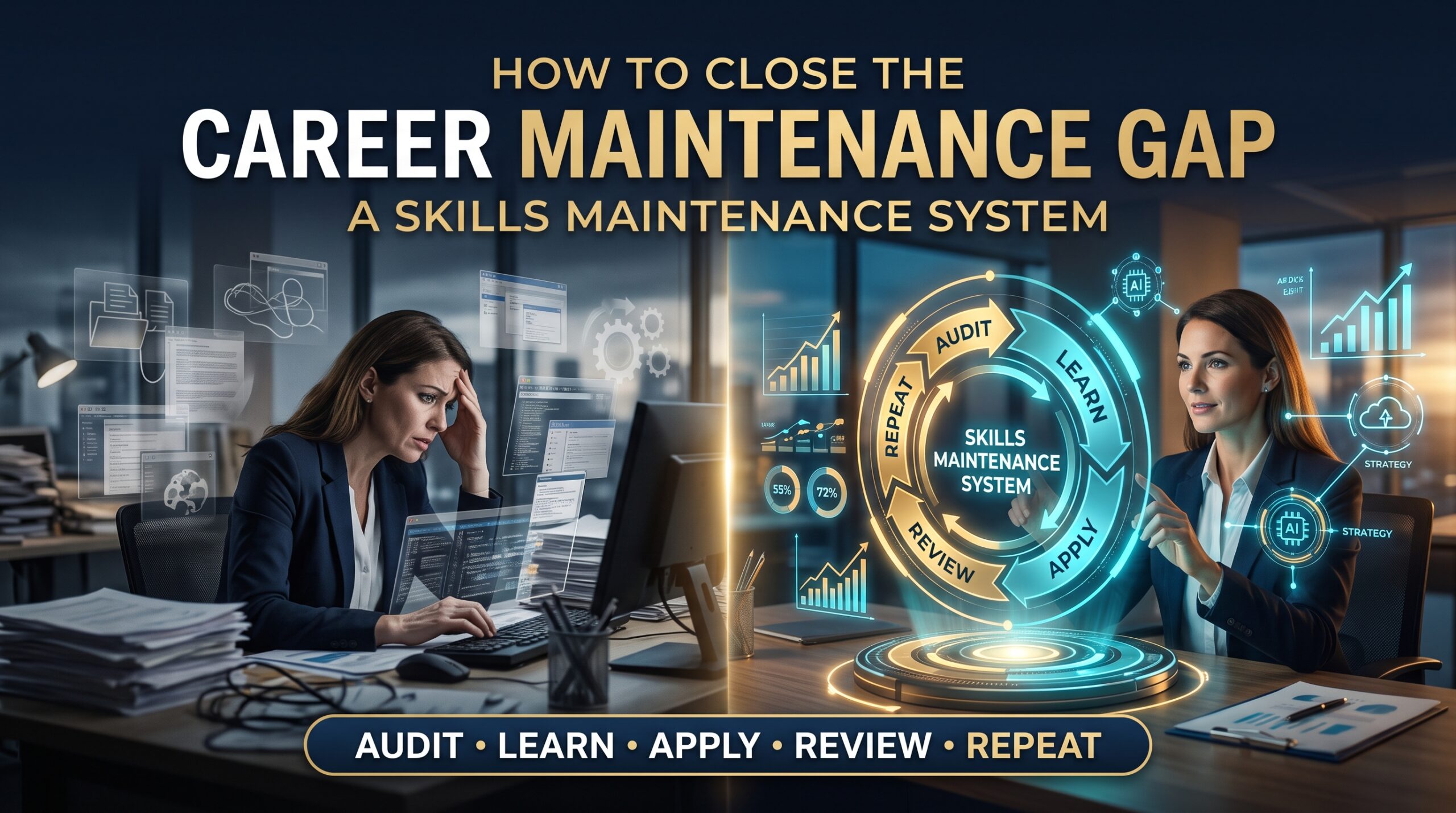
How to Close the Career Maintenance Gap: A Skills Maintenance System
The good news is that device-style maintenance is easy to copy. Here is a six-part system that works for busy professionals.
1. Schedule updates like patches
Put a recurring block in your calendar: two hours a week or one half-day a month. Treat it like a non-negotiable system update. If it only happens “when you have time”, it won’t happen.
2. Run a quarterly skills audit
Every three months, list the tools, platforms and methods you use. Then compare them with five current job ads for the role you want next. Where the ads mention something you have never touched, you’ve found a gap.
3. Sort updates by urgency
Not every gap deserves equal attention. Use the same logic your phone uses.
| Update type | What it means for your career | Example action |
| Security patch | A skill gap that threatens your current role or next application | Take a short, hands-on course in the missing tool this month |
| Feature update | A useful addition that makes you faster or more valuable | Learn one new feature or workflow each fortnight |
| Major upgrade | A new platform or direction, such as cloud or AI | Enrol in a structured course and finish a certification |
4. Turn on “automatic updates”
Build learning into your week without relying on willpower. Follow two or three high-quality sources, join one professional community and use free learning paths such as Microsoft Learn for small daily steps. Automatic doesn’t mean passive. It means the routine is already decided.
5. Back up your proof
Every update should leave evidence: a lab write-up, a dashboard, a small project or a certificate. Keep it in a portfolio or on LinkedIn. Learning that you can’t show is only half-maintained.
6. Don’t wait for end of life
Smart people replace a device before it fails. Do the same with skills. When a tool you depend on starts losing job ad mentions, begin learning its successor while you are still employed and comfortable.
Career Maintenance Gap Across Australian Cities
The right update depends partly on where you work. Employer mix and demand vary by city.
- Sydney: finance, consulting and technology employers drive demand for cloud, cyber and data skills. See IT courses in Sydney and the Logitrain Sydney page.
- Melbourne: a mix of technology, education, health and startup employers rewards broad, current skills. Explore IT courses in Melbourne and Logitrain Melbourne.
- Brisbane: a growing market where up-to-date practical skills help you stand out. Visit IT courses in Brisbane and IT training in Brisbane.
- Perth: resources, energy and the technology teams behind them need strong data, cloud and security skills. Check IT courses in Perth and Logitrain Perth.
- Adelaide: a closer-knit market where a reputation for staying current travels quickly. See IT courses in Adelaide and Logitrain Adelaide.
- Canberra: public sector and contractor roles reward security awareness and documented, current expertise. Read about IT courses in Canberra and Logitrain Canberra.
Prefer to learn from anywhere? Live virtual and online options are available too. Browse all IT course locations to compare formats.
IT Courses That Help Close the Career Maintenance Gap
Short, focused courses are the closest thing to a software update for your skills. Popular options include:
- Cloud: the AWS Technical Essentials course covers core services, pricing and security. For Microsoft platforms, see Azure certifications.
- Cyber security: the Cyber Security Course builds practical defence skills. More pathways at cyber security certifications.
- Networking: the CCNA Certification Training course refreshes core networking skills. See also CCNA certification.
- Artificial intelligence: AI Essentials introduces AI and machine learning concepts, models and ethics.
- Data and databases: SQL Database Training pairs well with data analytics courses and Power BI training.
- Web and business: the Web Development Course and Business Analyst Certification suit professionals moving across roles; see also business analyst courses.
You can see the full list on our IT courses page, or compare more options through Logitrain.
A 90-Day Plan to Close the Career Maintenance Gap
- Days 1 to 10, audit: list your current tools and compare them with five target job ads. Mark each gap as a security patch, feature update or major upgrade.
- Days 11 to 20, choose: pick one priority gap. Book a short course or learning path and block your weekly study time.
- Days 21 to 60, update: complete the course, build one small project and write a half-page summary of what you did.
- Days 61 to 75, back up: add the project and certificate to LinkedIn and your resume. Rewrite two bullets using the new skill.
- Days 76 to 90, review: apply for one stretch role or ask for one stretch task at work. Then schedule your next quarterly audit.
Repeat the cycle every quarter to keep the career maintenance gap small. Small, regular updates beat one desperate overhaul every five years.
How IT Courses Help You Maintain Your Skills
Our IT courses in Australia are designed for beginners, career changers and working professionals. Training covers cyber security, cloud computing, networking, data analytics, web development, artificial intelligence, SQL databases and IT support, with hands-on labs, real-world projects and mock tests that mirror real exams.
Study options include online classes, live virtual training, classroom sessions and corporate programs, with weekday, evening and weekend schedules so learning fits around work. Career support, including resume and interview guidance, helps you turn each update into a visible result. Results depend on your effort, but a structured course removes the guesswork.
Frequently Asked Questions About the Career Maintenance Gap
How often should IT professionals update their skills?
A light weekly habit plus a quarterly audit works for most people. Larger updates, such as a new certification, are usually worth planning once or twice a year, depending on how fast your area of IT is changing.
Is an online course enough to update my skills?
It can be, if you pair it with hands-on practice and a small project. Employers respond to evidence that you can apply the skill, not just that you attended a class, and that evidence is what narrows the career maintenance gap.
Which IT skills should I update first?
Start with the gaps that appear repeatedly in job ads for your target role, or that affect your current role most. Cloud, security, data and AI are common priorities.
Do IT certifications expire?
Many vendor certifications must be renewed or refreshed periodically, and the rules differ by vendor. Always check the certifying body’s current requirements before you plan.
Can I update my skills while working full-time?
Yes. Weekend, evening and live virtual formats exist for exactly this reason. Even two protected hours a week, repeated consistently, adds up quickly.
Final Thoughts: Give Your Skills the Same Care as Your Phone
You would never run your phone on software from five years ago. Your career deserves the same care. The career maintenance gap closes the moment you stop treating learning as an emergency and start treating it as maintenance: scheduled, small and automatic.
Ready to update? Explore our IT courses, contact our team or call 1300 649 299 to find the right pathway in Sydney, Melbourne, Brisbane, Perth, Adelaide, Canberra or online.